What Should You Save First Before Your Dog's Videos Disappear?
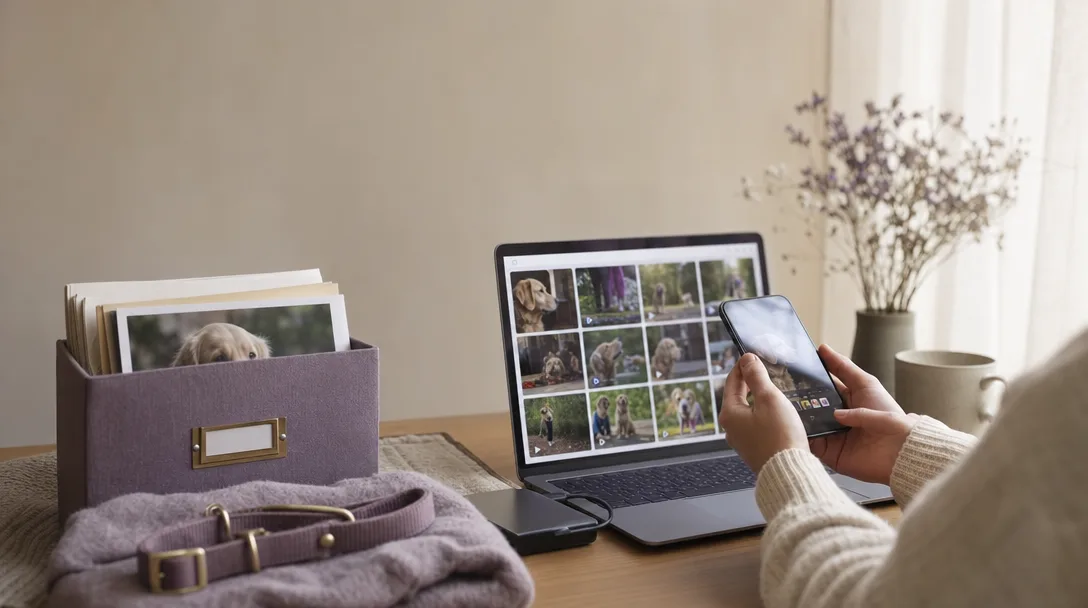
The videos most at risk after a dog dies are the ones stored in exactly one place: a single phone, an old tablet nobody has charged in months, or a social app you rarely open. SATELLAI's guide to preserving pet photos and memories lists the common places dog media hides: current and previous phones, tablets, digital cameras and memory cards, laptops and desktops, external hard drives, shared family albums, text messages and email attachments, and social media accounts. Before organizing anything, the first move is just gathering what exists.
You don't need to sort or label anything in the first hour. SATELLAI is direct about this: bring the files together into one temporary collection first, and figure out organization later. If a device is old, rarely charged, or tied to an account you might lose access to, pull from it now. Ask family members too. They may have footage from moments you weren't there for.
Is One Cloud Account Enough to Keep Your Dog's Videos Safe?
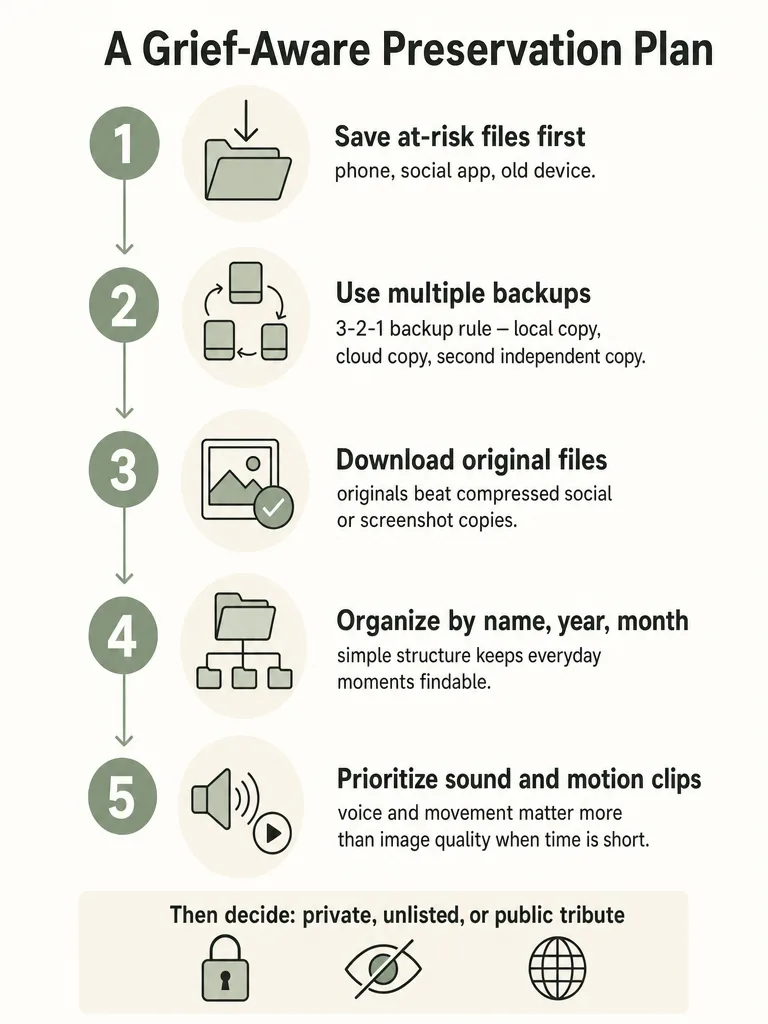
One cloud account is not enough to protect your dog's videos long-term. SATELLAI's preservation guide names the 3-2-1 backup method as the standard for pet photos and video: three copies of a file, kept on at least two different types of storage, with one copy somewhere separate from the rest. No hard drive, cloud account, or single storage device should be treated as permanent, because accounts get locked, subscriptions lapse, and phones fail.
Farewell.live's guidance on archiving a tribute gives a concrete version of this: save the original file to local storage immediately, then create two separate cloud backups. That's three total copies living in different places, which is what protects you if any one of them goes down.
If you've only ever uploaded your dog's videos to one phone's cloud photo library, treat that as step one, not step done.
Should You Download the Original Files Before Editing or Sharing Them?
Yes, download the original file before you crop, filter, or repost anything, because compression loses quality permanently. SATELLAI's research into preserving pet media is clear on this: a picture or clip saved from a social media post or screenshot is usually smaller and more compressed than the original file your phone or camera actually captured. Once that original is gone, the sharper version doesn't come back, so it's worth preserving before any editing or sharing begins.
The safest order of operations is to pull the original files first, store them untouched, and only then make copies for editing or a tribute video. Editing apps, messaging services, and social platforms routinely resize or recompress images and video on export, so a version you download from Instagram or send through text is already a degraded copy of what you started with.
This matters more with dog footage than most photography, because a lot of the emotional weight sits in small detail: the texture of fur, the exact pitch of a bark, the motion blur of a tail. Compression flattens that first. Keep one folder of untouched originals before you touch anything for a memorial video.
How Should You Organize Your Dog's Videos So You Can Actually Find Them Later?
A simple three-level folder works better than an elaborate system you'll abandon within a week. SATELLAI recommends structuring pet media as Pet Name > Year > Month or Event, using dated, descriptive names instead of vague ones like "Photos 2" or "New Folder." Their example: Luna > 2026 > 2026-03-Adoption-Day, Luna > 2026 > 2026-06-Beach-Trip, Luna > 2026 > Everyday-Life.
Starting folder names with the year and month keeps everything in chronological order automatically, without needing separate sorting later.
You don't need to reorganize the archive you already have overnight. Set up the structure once, then drop new files into it as you find them across devices.
Which Clips Are Most Worth Keeping When You Can't Save Everything Right Now?
When time, storage, or emotional energy are limited, prioritize sound and motion over sharp images. SATELLAI's guide to preserving pet memories is specific about this: videos with recognizable movement, sounds, or vocalizations are worth keeping first, because emotional value matters more than photographic quality in a pet archive. A shaky ten-second clip of a bark can matter more months from now than a crisp still photo.
A blurry clip of your dog trotting to the door, or the sound of them settling into a nap with a sigh, carries something a photo can't: the way they moved and sounded when they were still there.
If you're triaging under pressure, a rough order to work through:
- Clips with audible barking, whining, or vocal sounds unique to your dog
- Video of everyday movement: walking, running, greeting you at the door
- Footage where your dog is reacting to your voice or another person's
- Anything from the last weeks or days, even if unpolished
- Posed or still photos, which matter but are usually easier to recover later from other people's phones
If this list feels like too much right now, that's a normal response to being overwhelmed this early. The first 30 days after losing a dog often come with exactly this kind of decision fatigue, and it's fine to do the minimum for now.
How Do You Save Your Dog's Voicemails and Everyday Sounds?
Save your dog's voicemail by doing nothing: leave it in your phone's voicemail box, where it sits safely without any extra effort. A Life Pro Tips thread on Reddit about filming pets recommends exactly that, alongside turning on your phone's motion photo feature so a few seconds of movement and sound get captured automatically around every photo, then backed up to the cloud with your regular photo library.
Public guidance on exporting older voicemails and everyday audio in bulk is limited as of this writing, so treat these two habits as a starting point rather than a complete audio-preservation plan. If you have older voicemails or recordings sitting on a device you're planning to trade in, cancel service on, or retire, treat that device the same way you'd treat an old phone full of photos: pull everything off it now, even without a polished plan for where it goes yet. A rough backup of a voicemail beats a lost one.
How Do You Preserve Videos and Photos That Only Exist in Public Social Posts?
Download a dog's public social media video while the account is still active, because platforms don't function as permanent archives. The archiving guide from curl-x on preserving a loved one's public posts is blunt about the risk: when an account holder passes away or an account becomes inaccessible, public videos and photos can disappear without warning, and downloading them while the account still works is the only reliable way to preserve them.
The workflow curl-x describes is straightforward for any public post on Instagram, Facebook, TikTok, Reddit, or Threads: copy the post's URL, then download the media as a regular file rather than relying on a screenshot. A screenshot captures a compressed, lower-quality version of what's actually stored on the platform's servers; downloading the original file preserves more of it.
This applies even to posts you made yourself. Social apps are not archives. If a video of your dog only exists as a post, and you haven't separately saved the file, you don't actually have a backup of it yet, you have a link that depends on the platform staying up and your account staying accessible.
Should Your Dog's Memorial Video Be Private, Unlisted, or Public?
The right privacy setting for a dog's memorial video depends on what's actually in the footage, not on habit or convenience. Farewell.live's guidance on archiving a tribute lays out the main distribution options, and its companion piece on turning home videos into a memorial says that when a video contains sensitive material, private or unlisted distribution is the safer choice than posting publicly.
| Option | Best for | What the sources say |
|---|---|---|
| Private / password-protected | Sensitive footage, family-only viewing | Farewell.live recommends a dedicated memorial page or a private subscription archive with password protection |
| Unlisted | Sharing a link with specific people without public listing | Farewell.live's guide on turning home videos into a memorial names unlisted distribution as the preferred choice when material is sensitive |
| Public | Wanting the video discoverable by anyone, including future searches | Not specifically addressed in available sources; treat as the default only for footage you'd be comfortable with a stranger finding |
If you're unsure, default to private or unlisted first. You can always widen access later; you can't easily undo a public upload once it's been seen or shared.
How Do You Turn Saved Clips Into a Pet Memorial Video?
Turning saved clips into a memorial video is a smaller task than it feels once the files are backed up and organized. Paws Rainbow's guide to pet memorial videos suggests a simple four-part storyline instead of trying to include everything: early days, adventures, quiet moments, and farewell. The same guide recommends a target length of 2 to 3 minutes, long enough to tell the story and short enough that people actually watch it through.
- Early days. Puppyhood or the first footage you have, however rough.
- Adventures. Walks, trips, play, the moments that show personality in motion.
- Quiet moments. Naps, everyday sounds, the unremarkable footage that turns out to matter most.
- Farewell. A few final images or a closing message, kept simple.
You don't need every clip you saved. Pull from the folders you already built, favor the audio-and-motion clips you prioritized earlier, and let the four-part structure carry the pacing instead of trying to force in everything at once.
What If Watching Old Videos Brings On a Wave of Grief?
A wave of grief while rewatching old dog videos is not a sign you're doing this wrong. Sitting down to sort through footage means hearing a bark again and watching a dog move the way it used to, and that kind of sensory replay can bring grief back at full intensity even months after the loss. Public research doesn't establish whether rewatching old footage helps or worsens grief over time, so the honest answer is that this varies by person rather than following a fixed rule about how much exposure is "healthy."
What's more reliable is giving yourself permission to stop. Preserve the files today and watch them another day if today isn't the day. There's no requirement to build the memorial video, or even open the folder, on any particular timeline.
If a wave hits mid-project, it can help to understand why this hurts as much as it does; the neuroscience of pet loss explains why the bond registers in the brain the way other close relationships do, which is part of why a bark on video can undo you months later. And if you're bracing for a specific date, surviving the firsts after losing a dog covers how to get through anniversaries and milestones without forcing a performance of being fine.
For some readers, having something to hold onto while doing this slow, occasionally brutal preservation work matters as much as the files themselves. To Lose A Dog was written for exactly that stretch: the part where you're trying to keep what's left of your dog organized and safe while grief keeps interrupting the task. If that sounds like company you could use, it's worth a look.
Frequently asked questions
What is the 3-2-1 backup method for saving pet photos and videos?
The 3-2-1 method means three total copies of a file, stored on at least two different types of storage, with one copy kept somewhere separate from the rest. SATELLAI's pet-photo preservation guide names this as the standard for protecting dog media long-term. In practice: an original file on your phone, a backup on an external drive, and a second backup on a separate cloud account — never just one phone or one cloud login.
Should I download the original video files before editing or sharing them?
Yes — save the untouched original before you crop, filter, or repost anything, because lost quality from compression can't be recovered. A clip saved from a social media post or screenshot is smaller and lower quality than what your phone or camera actually captured. Pull the original first, store it as-is, then make copies for editing. This matters most with dog footage, where detail like fur texture or the pitch of a bark carries real emotional weight.
How should I organize my dog's videos so I can find them later?
Use a three-level folder structure instead of an elaborate system you'll abandon: Pet Name, then Year, then Month or Event. SATELLAI's preservation guide gives the example Luna > 2026 > 2026-03-Adoption-Day. Starting folder names with the year and month keeps everything in chronological order automatically. Add one 'Everyday Life' catch-all folder per year for footage that doesn't belong to a specific trip — that's where most of a dog's daily footage actually ends up.
Which video clips of my dog should I prioritize saving first?
Save clips with recognizable movement, barking, or vocal sounds before still photos — sound and motion carry more emotional weight than image sharpness. A shaky ten-second clip of your dog's bark can matter more months from now than a crisp posed photo. After that, prioritize everyday movement like walking or greeting you at the door, then anything from the last weeks of their life. Posed photos matter too, but they're usually easier to recover later from other people's phones.
How do I save my dog's voicemail messages before I lose them?
Leave the voicemail exactly where it is — your phone's voicemail box already stores it safely without extra effort. A widely shared Life Pro Tips thread on Reddit also recommends turning on your phone's motion photo feature, which captures a few seconds of movement and sound around every photo and backs it up automatically with your photo library. If an old phone holding voicemails is about to be traded in or retired, pull everything off it first.
How do I save my dog's videos from social media before they disappear?
Download the actual video file while the account posting it is still active — social platforms don't function as permanent archives. Guidance on preserving a loved one's public posts warns that videos and photos on Instagram, Facebook, TikTok, or Reddit can vanish without warning if an account becomes inaccessible. Copy the post's URL and download the media file directly rather than screenshotting it, since a screenshot captures a compressed, lower-quality version of the original.